> ## Documentation Index
> Fetch the complete documentation index at: https://docs.distoai.com/llms.txt
> Use this file to discover all available pages before exploring further.
# Deploy LLM on AWS Sagemaker
Disto uses the state-of-the-art Llama model from Meta as its underlying LLM. Follow the instructions below to deploy this LLM on AWS Sagemaker.
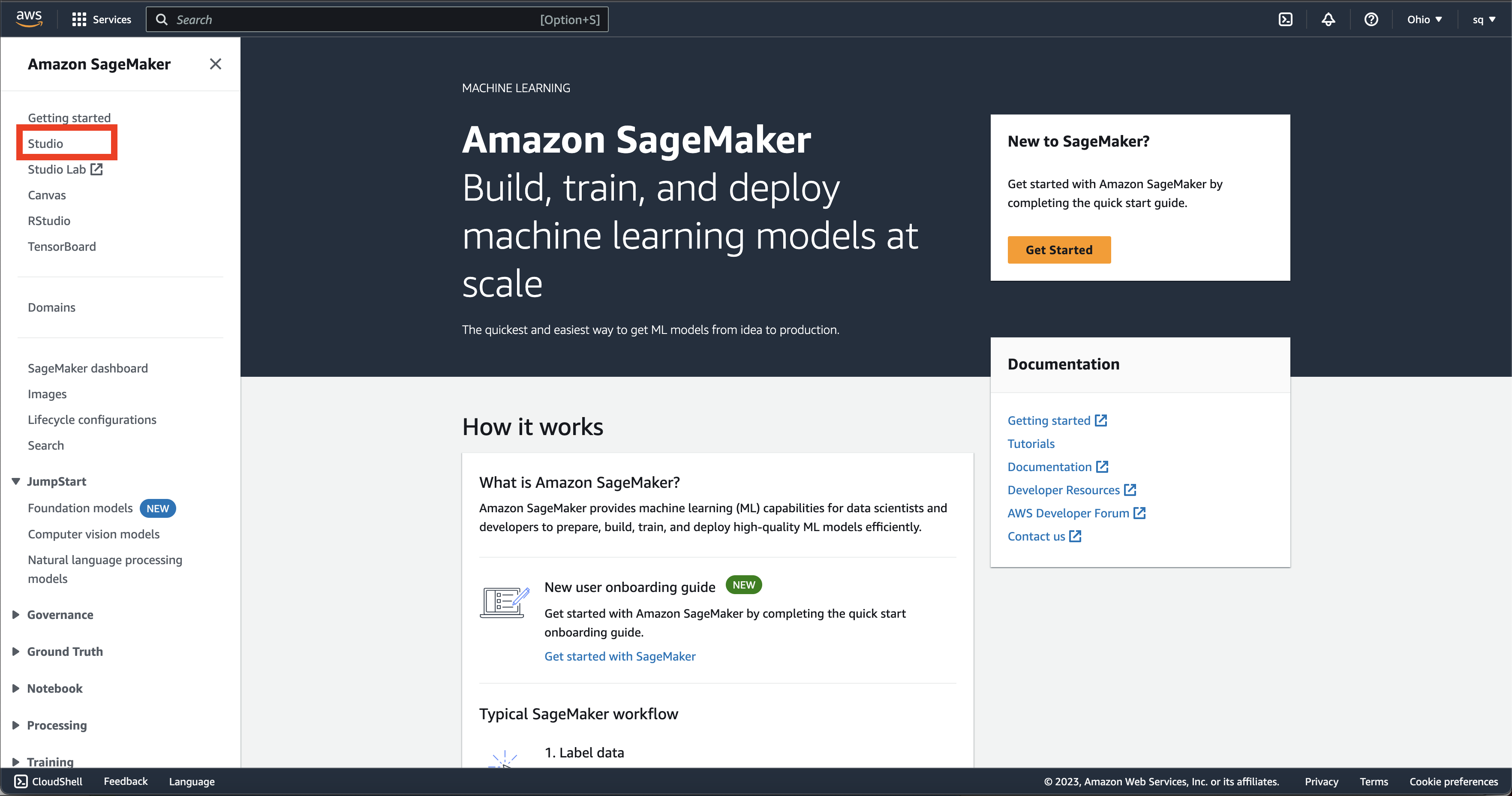
1. Go to "Amazon Sagemaker" in the AWS console. Click on "Studio" in the left sidebar.
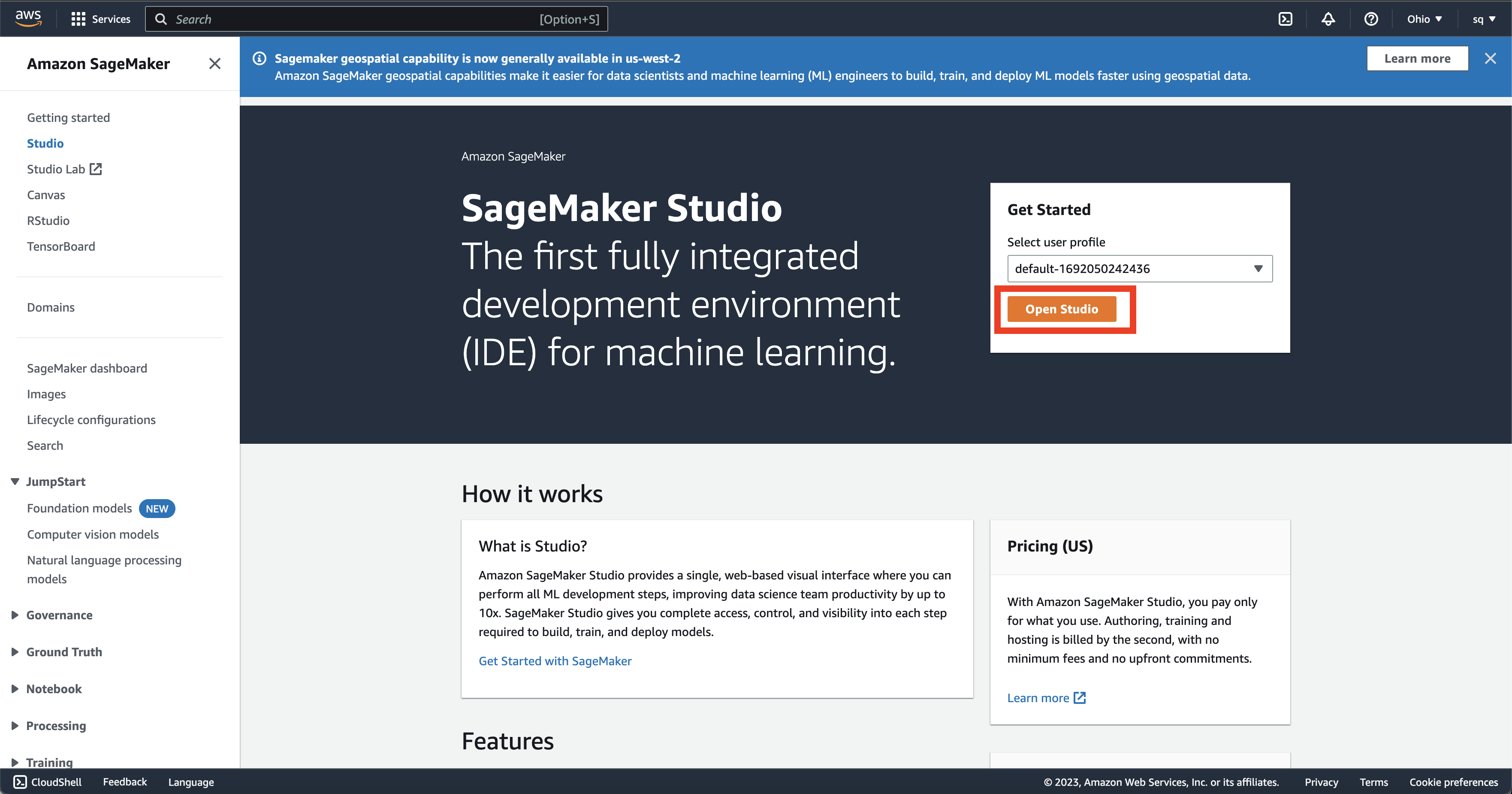
 2. Choose your user profile and click "Open Studio".
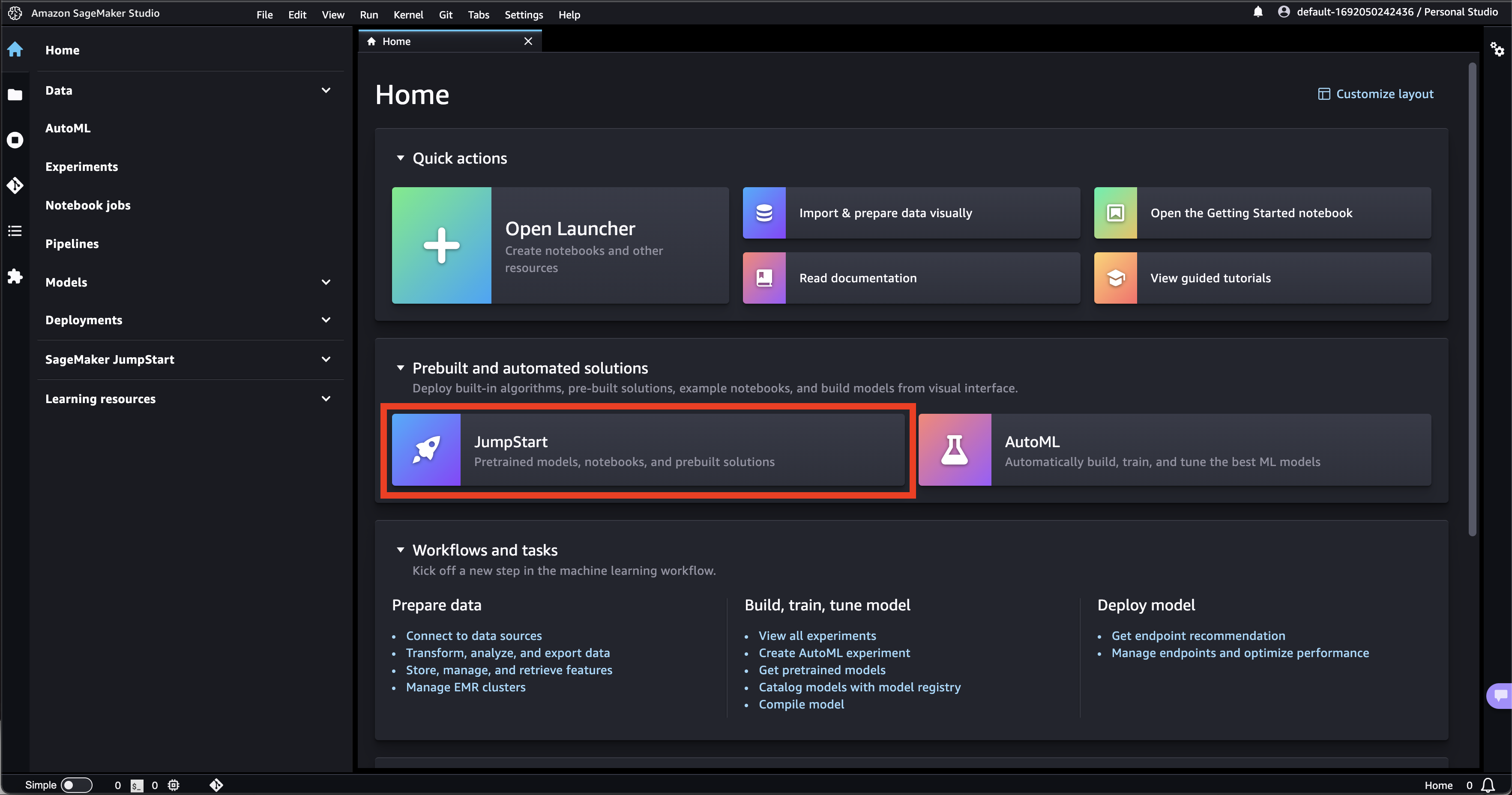
 3. Click on "Jumpstart".
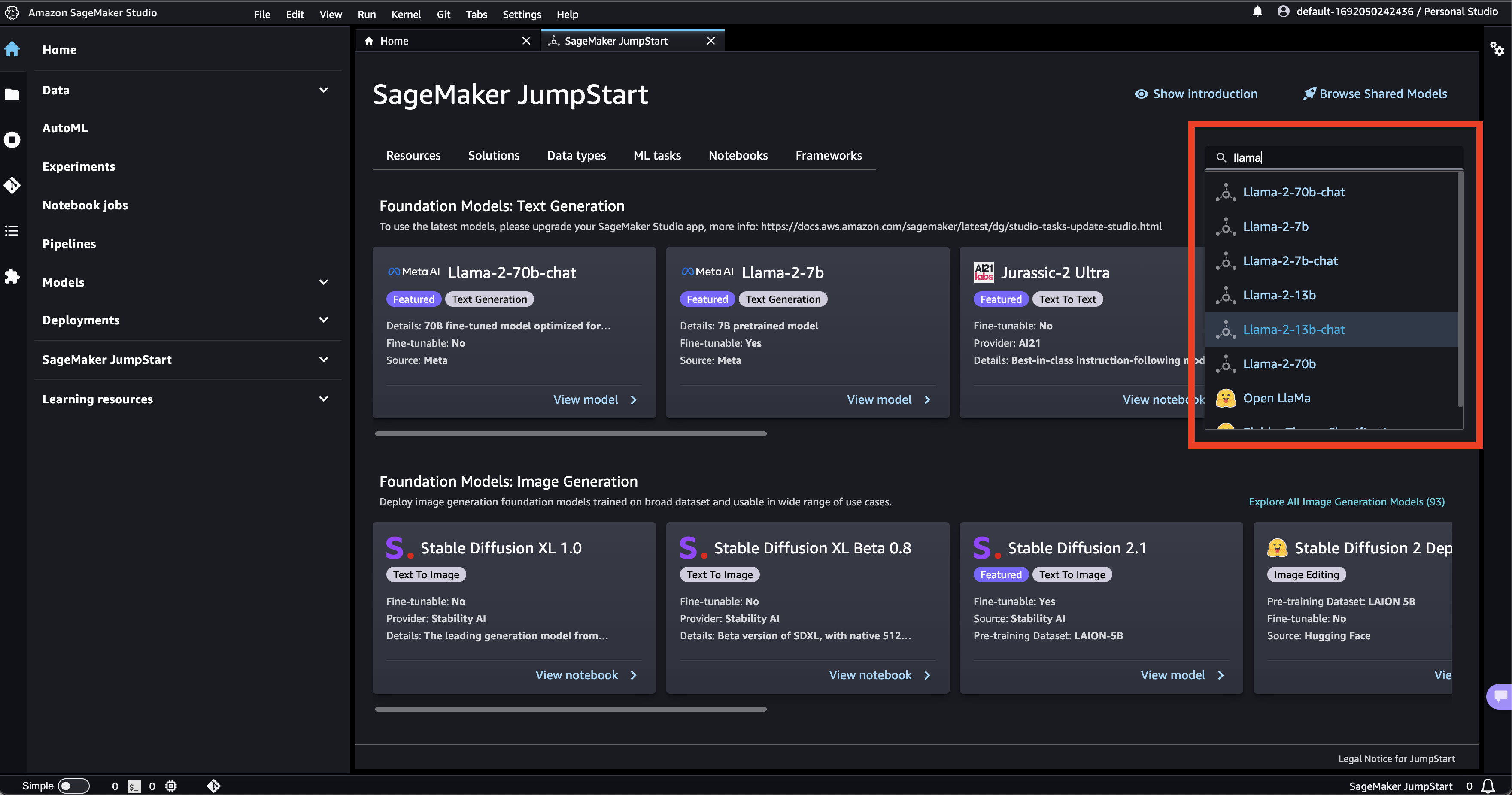
 4. Search for your preferred Llama model in the search bar and click on it. We recommend "Llama-2-70b-chat", as it is most accurate, but you can choose a smaller model if you wish.
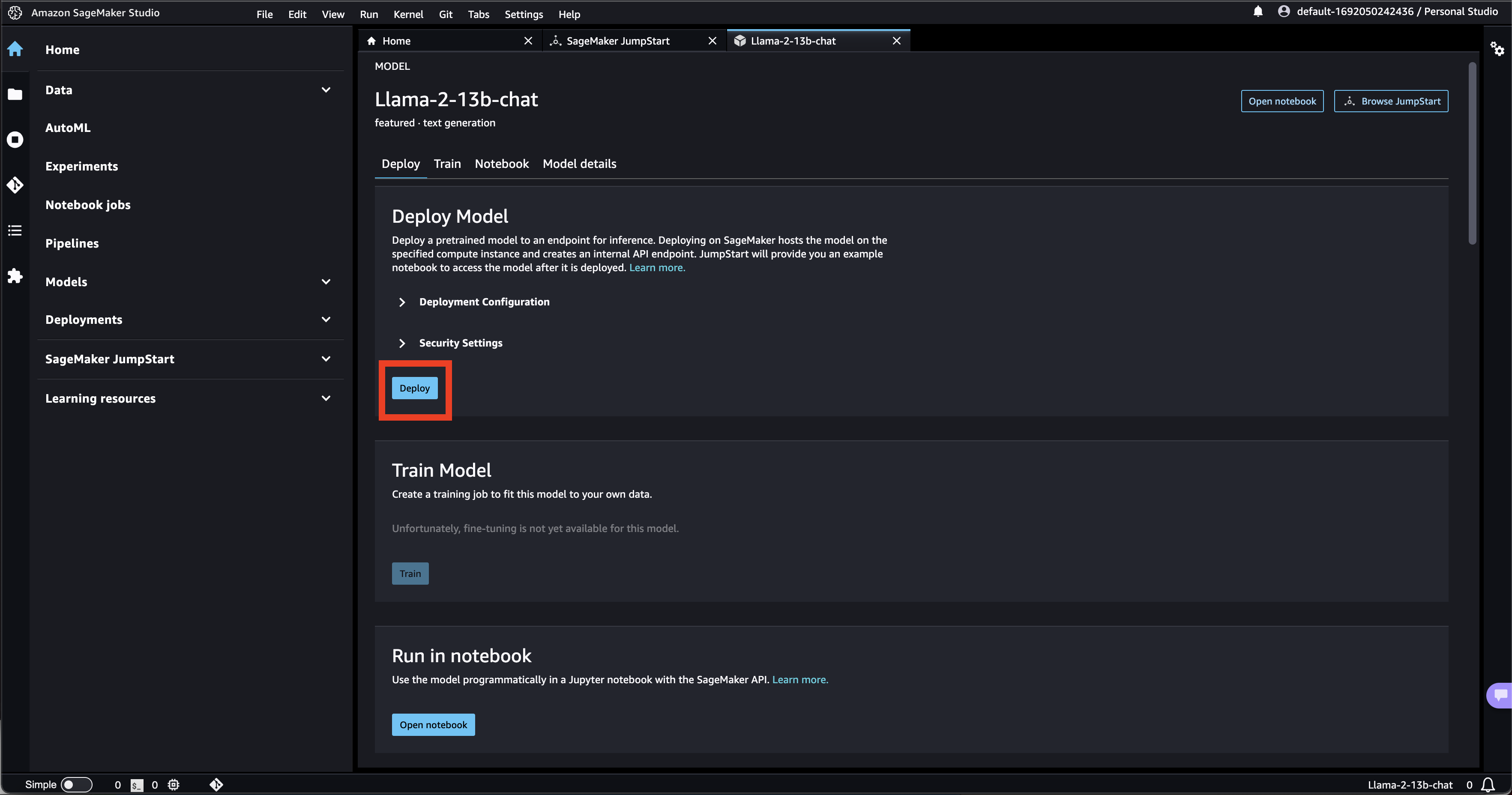
 5. Click on "deploy". Wait for the model to deploy.
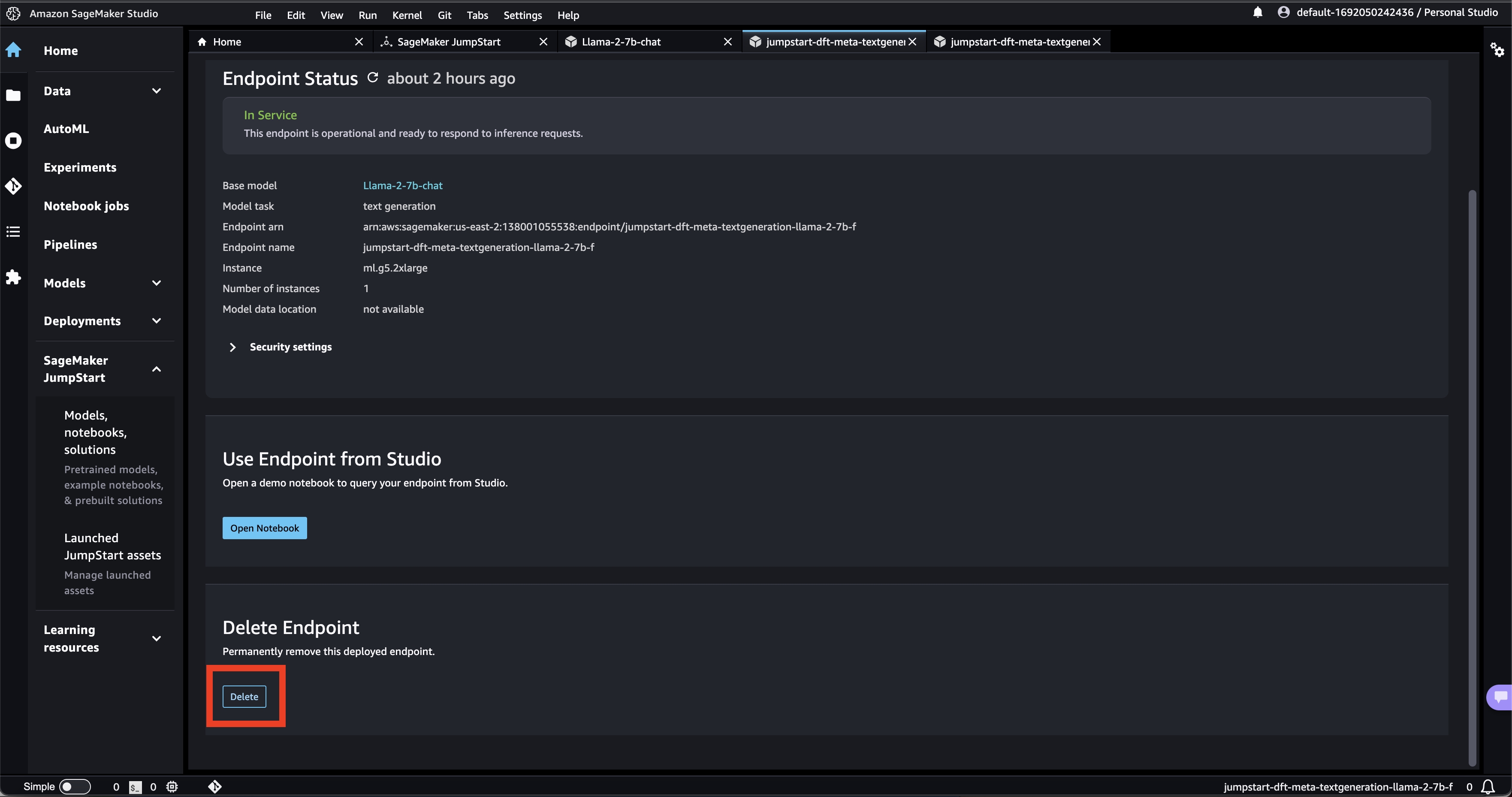
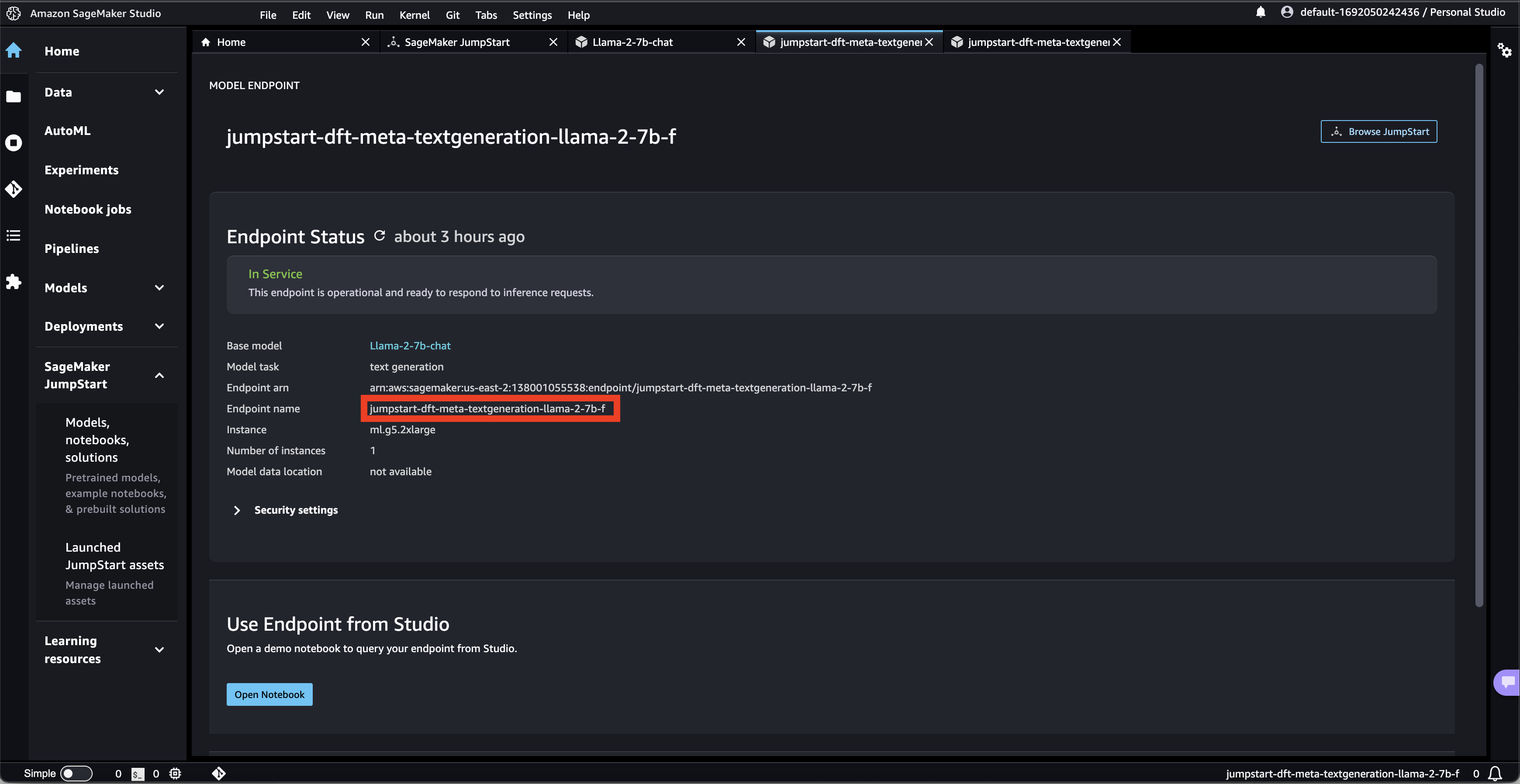
 6. Copy your Endpoint name. This will be the value for **sagemaker-endpoint-name** in the deploy script.
 7. If you wish to delete the endpoint, click on "delete".